![Free SMTP Options for SQA & Automation Engineers [2026]](/_astro/free-smtp-guide-for-sqa-and-automation-featured-image.BvDb9Nha_1rbVAt.png)
Free SMTP Options for SQA & Automation Engineers [2026]
Table of Contents
Email testing shows up in almost every type of application we work with — WordPress sites, Laravel apps, SaaS dashboards, custom APIs, Dockerized microservices, you name it. And as SQA or Automation Engineers, we need a reliable way to send and verify emails during functional testing, regression runs, pipeline executions, and even local development.
Most SMTP providers either require a credit card, impose strict rate limits, or block test traffic when they detect “non-production” patterns. However, several SMTP providers offer free, no-credit-card plans that work perfectly for testing environments.
This guide walks you through the best free SMTP options, how I personally use them in my workflow, and how you can build a reliable fallback system that fits neatly into your SQA toolkit.
Why SQA Engineers Need Free SMTP Providers
As testers, we’re constantly validating:
-
Account registration flows
-
Password reset emails
-
Notification triggers
-
Transactional messaging
-
Webhooks that depend on email events
-
Email formatting (HTML vs. text), headers, deliverability behavior
-
Automation scripts that simulate actual user operations
Having an SMTP provider attached to your test deployments makes these checks trivial. But paid providers aren’t practical for everyday QA work.
The SMTP Services I Use (in priority order)
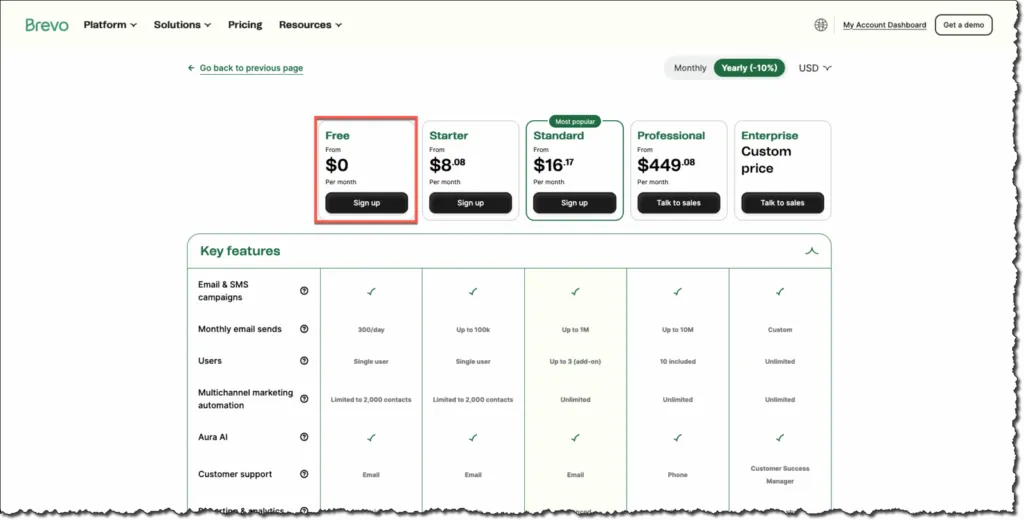
1. Brevo — up to 300 emails/day
-
The free plan allows 300 emails per day. (help.brevo.com)
-
You can store up to 100,000 contacts even on the free plan. (help.brevo.com)
-
No time limit on the free plan — it’s free forever. (help.brevo.com)
-
Includes SMTP / transactional email support, so it works well for web apps, WordPress, and custom applications. (help.brevo.com)
Why it’s great for QA:
300 emails/day is usually sufficient for most test cycles, and you get a fairly large contact storage limit. For testing flows like sign-up, password reset, order confirmation, notifications — that’s more than enough for many developers.
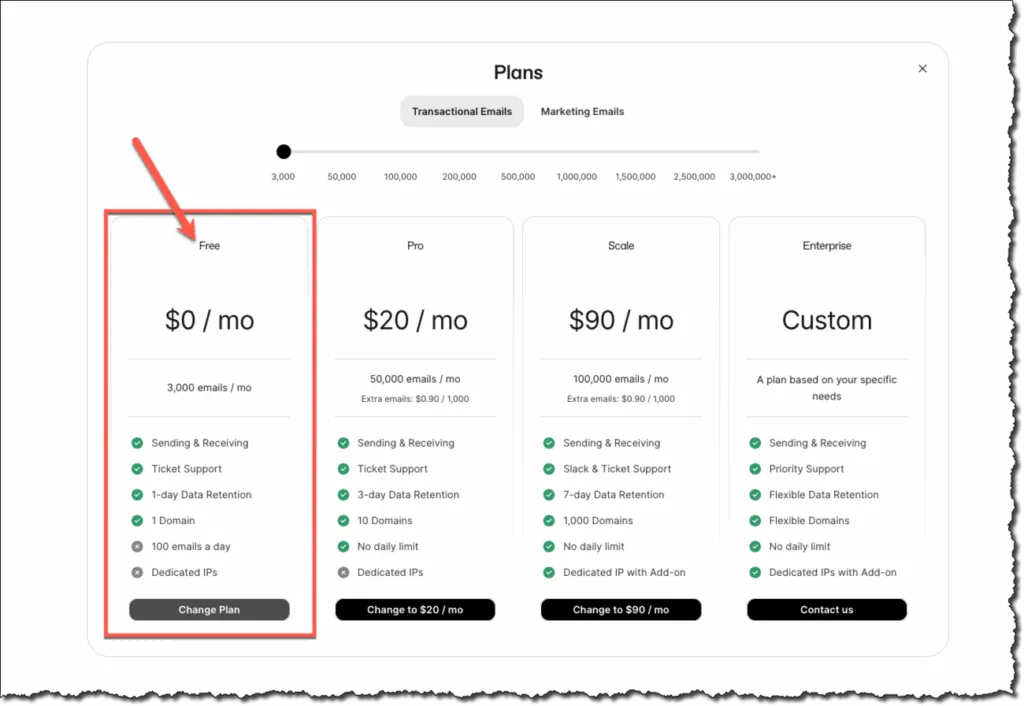
2. Resend — 100 emails/day
-
On the free plan, you get a daily sending limit of 100 emails/day. (Resend)
-
Supports SMTP Relay, REST API, SDKs, scheduling, batch sending, plus tracking features like open-tracking, link-tracking. (Resend)
Why testers might like it:
Simple, predictable, developer-friendly. Good for predictable, low-volume email testing (e.g. transactional emails, password resets, sign-up flows). Also useful if your primary (Brevo) hits its limit or you want a clean, separate sandbox environment.
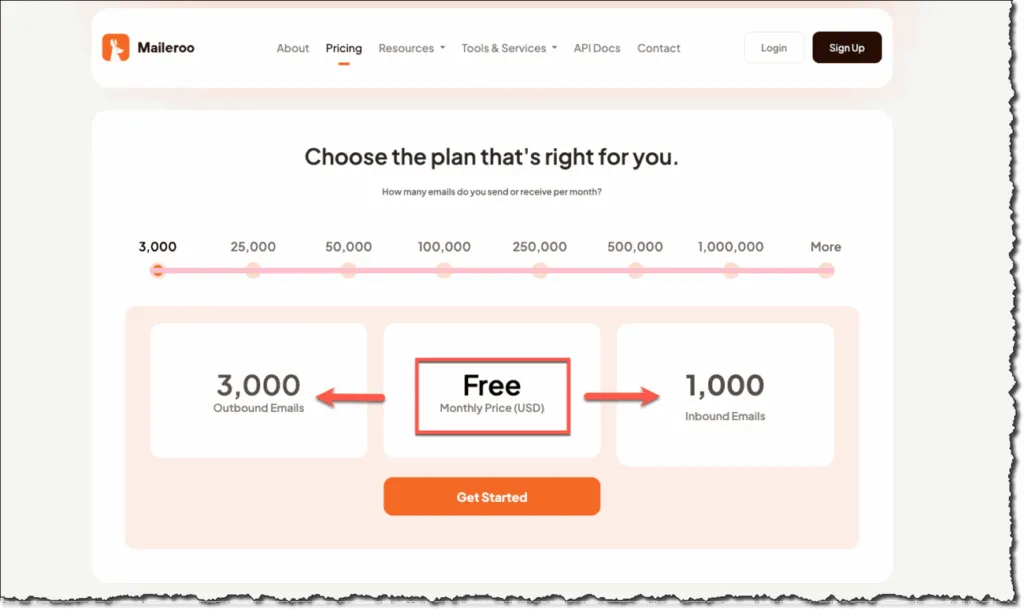
3. Maileroo — 3,000 emails/month
-
Their free SMTP plan offers up to 3,000 outbound emails/month. (maileroo.com)
-
They claim “no credit card required” for the free plan. (maileroo.com)
-
Good for light to moderate-volume testing — especially useful if you occasionally need multiple emails per user (e.g. invites, notifications, bulk test emails). (maileroo.com)
Why it’s a useful fallback:
If you’re hitting limits on daily-based providers, Maileroo gives you a monthly-based buffer. For example, if you send a few emails per user but have many users or many test runs per day, 3,000/month gives you breathing room.
I Use Them in This Specific Order
For SQA and automation work, reliability and quota matter more than anything else.
My priority order:
-
Brevo → stable, predictable, generous daily limit
-
Resend → clean logs, fast, perfect for debugging
-
Maileroo → great monthly buffer for bulk or stress-testing email flows
This setup ensures I almost never run out of SMTP capacity during heavy testing cycles, especially when working across multiple WordPress and custom application instances.
How SQA Engineers Can Integrate These Easily
WordPress Testing
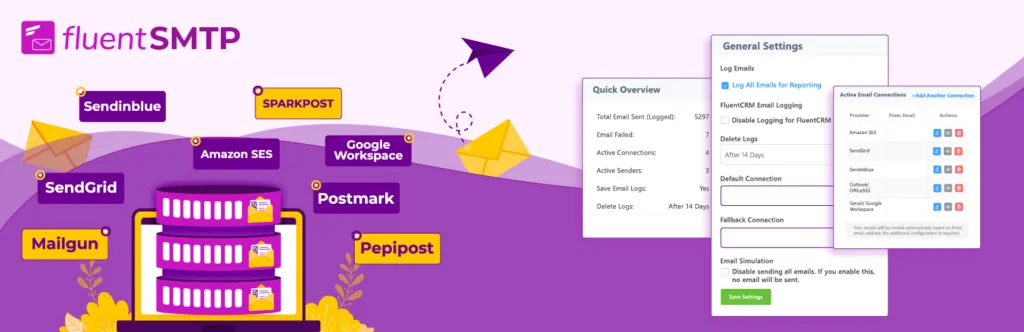
Use plugins like Fluent SMTP or directly update wp-config.php with SMTP constants. Great for testing registration, WooCommerce order emails, LMS notifications, etc.
Laravel / PHP Apps
Drop SMTP credentials into .env, for example:
MAIL_MAILER=smtp
MAIL_HOST=smtp.yourprovider.com
MAIL_PORT=587
MAIL_USERNAME=youruser
MAIL_PASSWORD=yourpass
MAIL_ENCRYPTION=tls
Docker-Based Apps
You can bind a .env file with SMTP values or inject them via runtime variables in docker-compose.yml.
Best Practices for QA Email Testing
-
Reset your sender name for each test app
-
Use unique subject prefixes like
DEV:orQA: -
Rotate between providers during long test cycles
-
Avoid spam-trigger keywords in automated messages
-
Log email events inside your automation framework
This helps keep your test emails clean and consistent.
Final Thoughts
If you’re an SQA or Automation Engineer, you do not need to pay for SMTP just to test email flows. These free providers — Brevo, Resend, and Maileroo — give you everything needed for functional tests, automation pipelines, and even staging environments.
The three-layer fallback system keeps you safe from rate limits and ensures uninterrupted testing across all your apps. It’s a simple setup that saves money, reduces friction, and keeps your test environments fully capable.
If you found this post helpful, consider buying me a coffee. It keeps me writing!
