FileMock for SQA Engineers: File Upload Testing Made Easy
As QA engineers, we often spend unnecessary time preparing mock files for testing. Whether it’s checking file uploads, validating API endpoints, or running automated test suites, we constantly need files of different sizes and formats. I recently discovered a free tool called FileMock that makes this entire process much faster and simpler, and I think it’s worth sharing.
Link: https://filemock.com
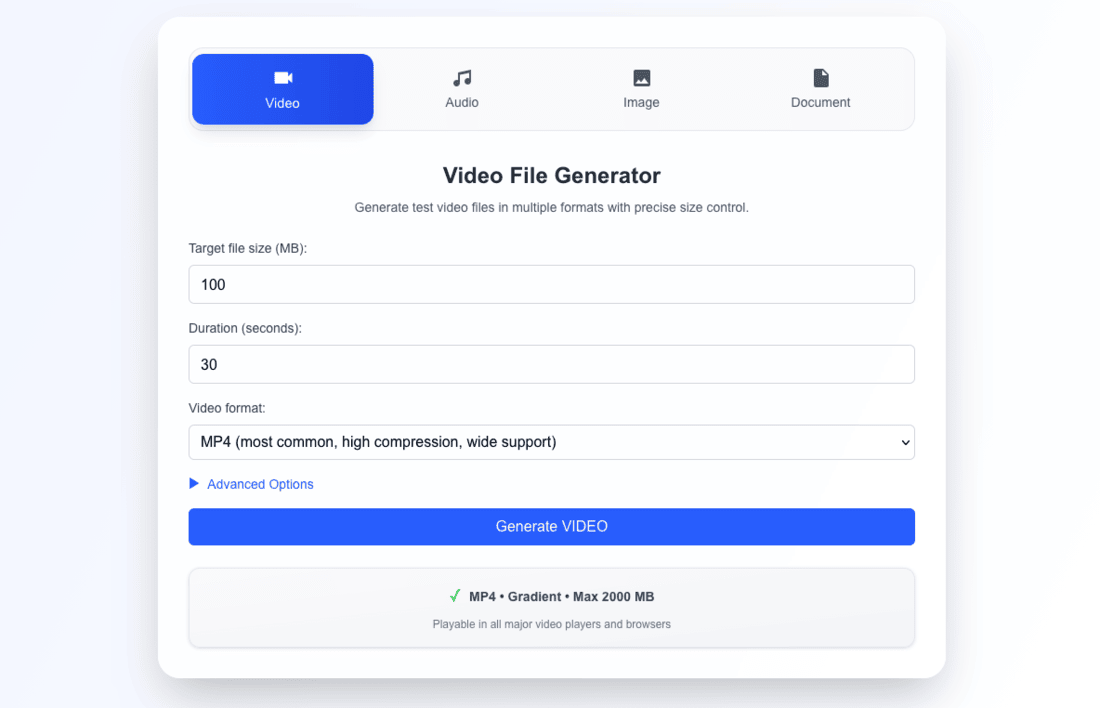
FileMock is a browser-based mock file generator that works entirely on the client side. There are no uploads, no login requirements, and no servers involved. Everything is processed inside your browser, which keeps your data completely private—perfect for sensitive or internal projects.
What makes the tool so useful is its wide support for file types. You can instantly generate:
• Video: MP4, MOV, AVI, MKV
• Audio: MP3, WAV, OGG
• Images: PNG, JPG, WebP, GIF
• Documents: PDF, DOCX, XLSX, TXT, JSON, CSV
All files are fully functional, not empty placeholders. For QA teams, this means more realistic test scenarios without the hassle of searching for sample files.
Some practical use cases include testing upload validation, preparing mock data for automation, validating storage systems, creating large files for performance testing, and generating media files for processing pipelines.
Since FileMock is fast, free, reliable, and works on any device, it’s a handy tool to bookmark. If you regularly deal with file-based testing, this can save you a lot of time and simplify your workflow.
If you found this post helpful, consider buying me a coffee. It keeps me writing!
