![What Is WordPress? A Complete Beginner's Guide [2026]](/_astro/the-ocean-at-sunset.Cto-IJRm_Z17m0q.png)
What Is WordPress? A Complete Beginner's Guide [2026]
As you already may have heard, WordPress is a CMS, a Content Management System (but it can be much more). It is free and open source. If you google WordPress, you may get confused by the search results. Here is a simple instruction to solve that confusion:
-
WordPress.com is NOT WordPress.
-
WordPress.org is WordPress
Everything you need to know is available in the website WordPress.org. From themes, plugins, documentations, news, and everything else. But I want to take a different approach. I will list some common questions I get asked about WordPress and provide answers to those. The answers might not be perfect, but these are what I know at the time of writing this article. I can update them later.
Question 01: How can I create a website using WordPress and explore it for free?
Answer:
The answer to this question can be both simple and complex. In order to create a website using WordPress, you need a machine to run that website on, like a Ubuntu VPS, and a webserver like nginx or apache or openlitespeed, PHP and a database like MySQL or MariaDB, and so many more things.
But we will not get into those. If you are familiar with platforms like Shopify: Shopify manages everything that I mentioned just now; from servers, to databases, to everything else needed and you as a user just have to create an account and start exploring. But with WordPress, you need to do that bit yourself.
I will make it super easy for you. I am guessing that you already have a laptop or a desktop computer running Windows, MacOS or Linux. Just visit LocalWP and download the tool for your specific operating system. Then install it. That’s it!
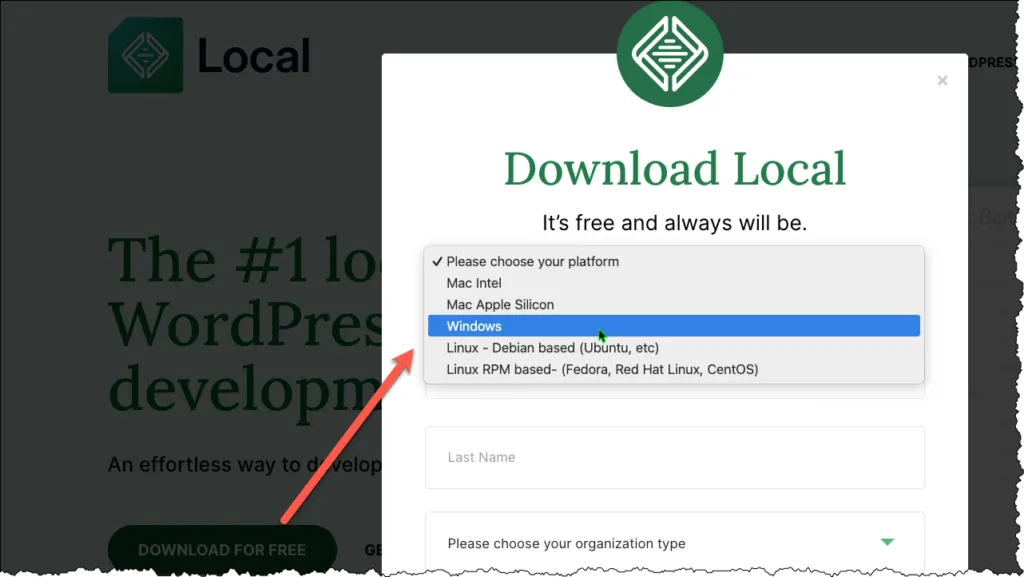
After installation completes, create a new WordPress site by following the steps and access it from your browser. Here is a simplified video demonstrating the steps:
Now that you can access the WordPress website from your browser, go ahead and explore the plugins, themes and everything else. You can find lots of tutorials online for this. However, the best resources for learning the basics of WordPress is here: https://learn.wordpress.org/
With WordPress, everything is free, there are 60,000+ plugins, themes, everything can be downloaded for free. Companies like WPDeveloper, where I work at, provides a free version of some plugins, but a paid premium version too, with advanced features. But most task can be completed with the free plugins alone. Just visit the plugin directory and the theme directory.
If you found this post helpful, consider buying me a coffee. It keeps me writing!
