CSS Combinators Explained: Types, Syntax & Use Cases
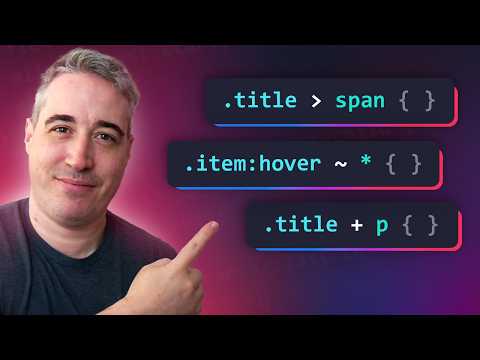
In CSS, combinators define how selectors relate to each other. They help you style elements based on their position or relationship within the HTML structure. There are four primary combinators: descendant (space), child (>), adjacent sibling (+), and general sibling (~).
The descendant combinator (a space between selectors) selects all elements nested inside a specified ancestor, at any level of depth.
For example:
<div>
  <p>This paragraph is blue.</p>
  <section>
    <p>This paragraph is also blue because it’s inside a div.</p>
  </section>
</div>
<p>This paragraph is not inside a div.</p>
div p {
color: blue;
}Here, both paragraphs inside the <div> are styled blue, no matter how deeply nested they are. The last <p> outside the <div> is not affected.
The child combinator (>) targets only direct children of an element, not deeper descendants.
<div>
  <p>This paragraph is red.</p>
  <section>
    <p>This paragraph is not red because it’s inside a section.</p>
  </section>
</div>
div > p {
color: red;
}Only the first <p> is selected because it’s a direct child of <div>.
The adjacent sibling combinator (+) selects the element that comes immediately after another element on the same hierarchy level.
<h2>Section Title</h2>
<p>This paragraph follows an h2 directly.</p>
<p>This paragraph is not adjacent to h2.</p>
h2 + p {
font-weight: bold;
color: green;
}Here, only the first <p> right after the <h2> is bold and green. The second <p> remains unchanged.
The general sibling combinator (~) targets all elements that share the same parent and appear after a specified element, not just the immediate one.
<h2>Section Title</h2>
<p>First paragraph after h2.</p>
<p>Second paragraph after h2.</p>
<div>Some div after h2.</div>
<p>Third paragraph after h2.</p>
h2 ~ p {
color: gray;
}All <p> elements that come after the <h2>—no matter how many or how far apart—will turn gray.
CSS combinators let you express relationships between elements clearly and powerfully. Instead of cluttering your HTML with extra classes or IDs, you can use combinators to target specific structures and maintain clean, semantic code.
If you found this post helpful, consider buying me a coffee. It keeps me writing!
