![Custom Winter Theme for Disabled Sites on xCloud [Tutorial]](/_astro/winter-vibe-template-screenshot.CEuL_28I_Z2itGd5.png)
Custom Winter Theme for Disabled Sites on xCloud [Tutorial]
So far, xCloud is my favorite server hosting management panel. Not because I work with the team behind xCloud, but because I genuinely love the platform.

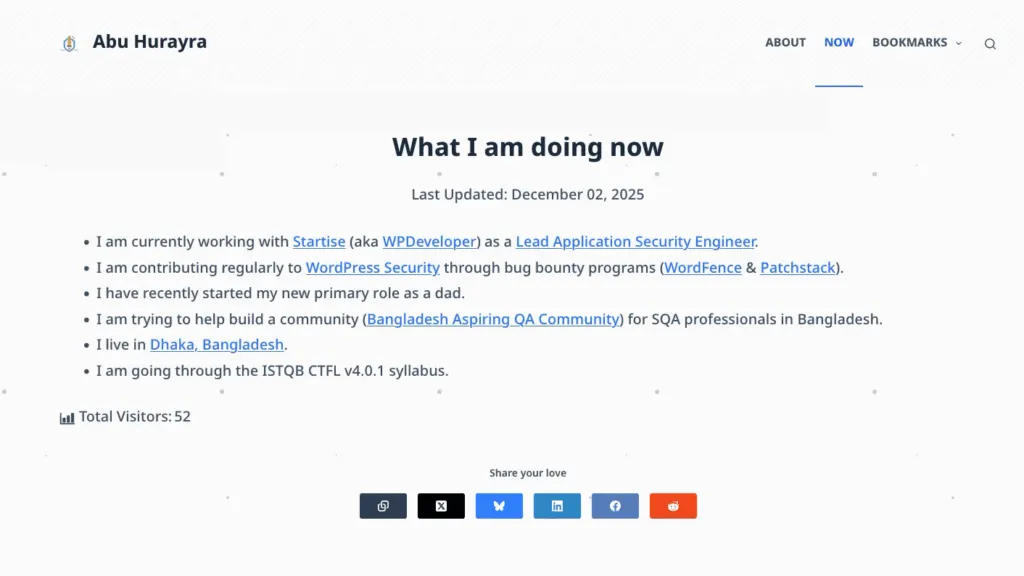
I love tweaking around xCloud in my spare time and finding ways of customizing it and improving it. This winter, I have been tweaking around my personal sites and adding a winter vibe to anything I can put my hands on. This site, for example (how it looks at the time of writing this article).
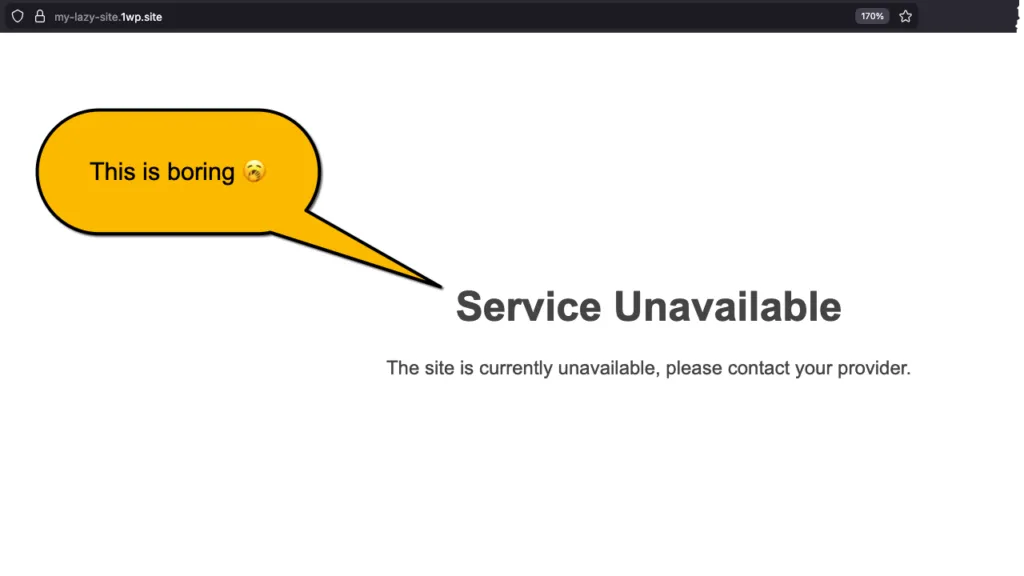
xCloud has a nifty little feature. It allows you to disable a site. Sites that are not useful at the moment, but you also don’t want to delete them. When you visit the disabled sites, xCloud shows a default HTML template saying that the site is not available at the moment.
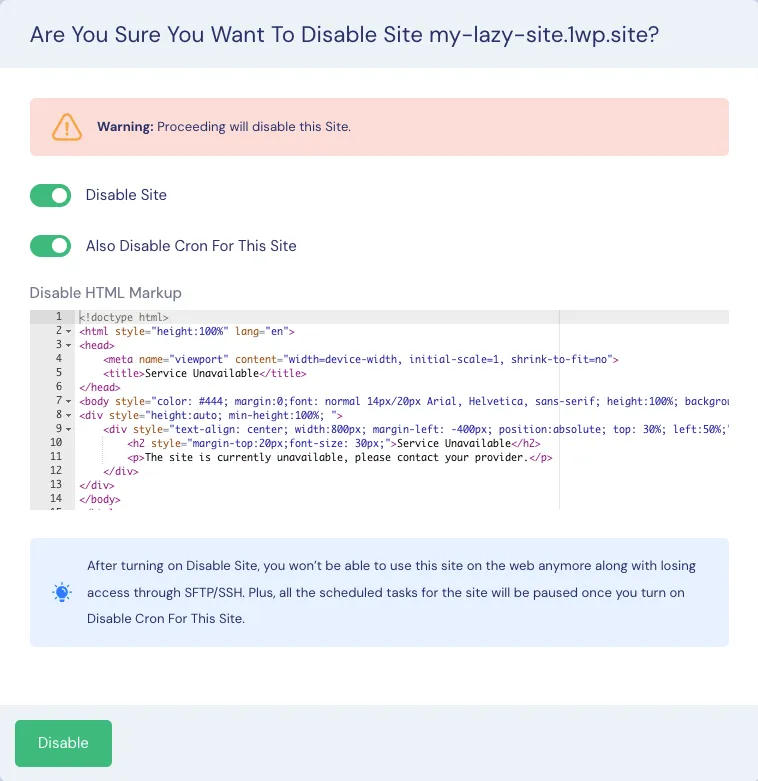
xCloud allows you to customize this HTML template. So I thought why not generate a prettier HTML template using Gemini and adding that to my sites instead. You can find the detailed documentation here: How to Disable Site in xCloud Hosting?
So here it how it looks 👇

I’ll share the source code for this template below:
<!doctype html>
<html class="h-full" lang="en">
<head>
    <meta charset="UTF-8">
    <meta name="viewport" content="width=device-width, initial-scale=1, shrink-to-fit=no">
    <title>Service Unavailable - Winter Edition</title>
    <script src="https://cdn.tailwindcss.com"></script>
    <style>
        /* Custom Snow Animation */
        .snowflake {
            color: #fff;
            font-size: 1.2em;
            font-family: Arial, sans-serif;
            text-shadow: 0 0 5px rgba(255,255,255,1);
            position: fixed;
            top: -10%;
            z-index: 9999;
            user-select: none;
            cursor: default;
            animation-name: snowflakes-fall, snowflakes-shake;
            animation-duration: 10s, 3s;
            animation-timing-function: linear, ease-in-out;
            animation-iteration-count: infinite, infinite;
            animation-play-state: running, running;
        }

        @keyframes snowflakes-fall {
            0% { top: -10%; }
            100% { top: 100%; }
        }

        @keyframes snowflakes-shake {
            0%, 100% { transform: translateX(0); }
            50% { transform: translateX(80px); }
        }

        /* Generating different delays for snowflakes */
        .snowflake:nth-of-type(0) { left: 1%; animation-delay: 0s, 0s; }
        .snowflake:nth-of-type(1) { left: 10%; animation-delay: 1s, 1s; }
        .snowflake:nth-of-type(2) { left: 20%; animation-delay: 6s, 0.5s; }
        .snowflake:nth-of-type(3) { left: 30%; animation-delay: 4s, 2s; }
        .snowflake:nth-of-type(4) { left: 40%; animation-delay: 2s, 2s; }
        .snowflake:nth-of-type(5) { left: 50%; animation-delay: 8s, 3s; }
        .snowflake:nth-of-type(6) { left: 60%; animation-delay: 6s, 2s; }
        .snowflake:nth-of-type(7) { left: 70%; animation-delay: 2.5s, 1s; }
        .snowflake:nth-of-type(8) { left: 80%; animation-delay: 1s, 0s; }
        .snowflake:nth-of-type(9) { left: 90%; animation-delay: 3s, 1.5s; }
    </style>
</head>
<body class="h-full bg-gradient-to-b from-slate-900 via-blue-900 to-blue-800 flex items-center justify-center overflow-hidden m-0 font-sans">

    <div class="snowflakes" aria-hidden="true">
        <div class="snowflake">❅</div>
        <div class="snowflake">❆</div>
        <div class="snowflake">❅</div>
        <div class="snowflake">❆</div>
        <div class="snowflake">❅</div>
        <div class="snowflake">❆</div>
        <div class="snowflake">❅</div>
        <div class="snowflake">❆</div>
        <div class="snowflake">❅</div>
        <div class="snowflake">❆</div>
    </div>

    <div class="relative z-10 text-center p-8 bg-white/10 backdrop-blur-md border border-white/20 rounded-3xl shadow-2xl max-w-lg mx-4">
        <div class="mb-6">
            <div class="inline-block p-4 bg-blue-500/20 rounded-full mb-4">
                <svg class="w-12 h-12 text-blue-200" fill="none" stroke="currentColor" viewBox="0 0 24 24" xmlns="http://www.w3.org/2000/svg">
                    <path stroke-linecap="round" stroke-linejoin="round" stroke-width="2" d="M12 3v1m0 16v1m9-9h-1M4 12H3m15.364 6.364l-.707-.707M6.343 6.343l-.707-.707m12.728 0l-.707.707M6.343 17.657l-.707.707M16 12a4 4 0 11-8 0 4 4 0 018 0z"></path>
                </svg>
            </div>
            <h2 class="text-white text-4xl font-extrabold tracking-tight mb-2">Service Unavailable</h2>
            <p class="text-blue-100 text-lg opacity-80">The site is currently hibernating. Please contact your provider or try again later.</p>
        </div>

        <a href="https://hurayraiit.com" class="inline-block bg-white text-blue-900 font-bold py-3 px-8 rounded-full shadow-lg hover:bg-blue-50 hover:scale-105 transition-all duration-300">
            Visit home!
        </a>
    </div>

</body>
</html>
Thanks for reading! If you decide to create your own template, share the link with me as a comment to this post.
If you found this post helpful, consider buying me a coffee. It keeps me writing!
